What makes legacy software hard to redesign
- Twenty years of workflows. Every menu and step was added for a reason someone once had.
- Users who know it by heart. They find things by position, not by reading.
- No room to stop. Events run on it every day, so the current system stays live while the new one arrives.
Mark up what is there
Software that has run for twenty years carries twenty years of decisions. In TraqIT, menus nested inside menus, and a routine task passed through intermediate steps on its way to done.
We started by marking that up. An annotated screen of the navigation recorded the nested menus and the intermediate steps. It set out what the redesign had to address.
First release: new controls, same places
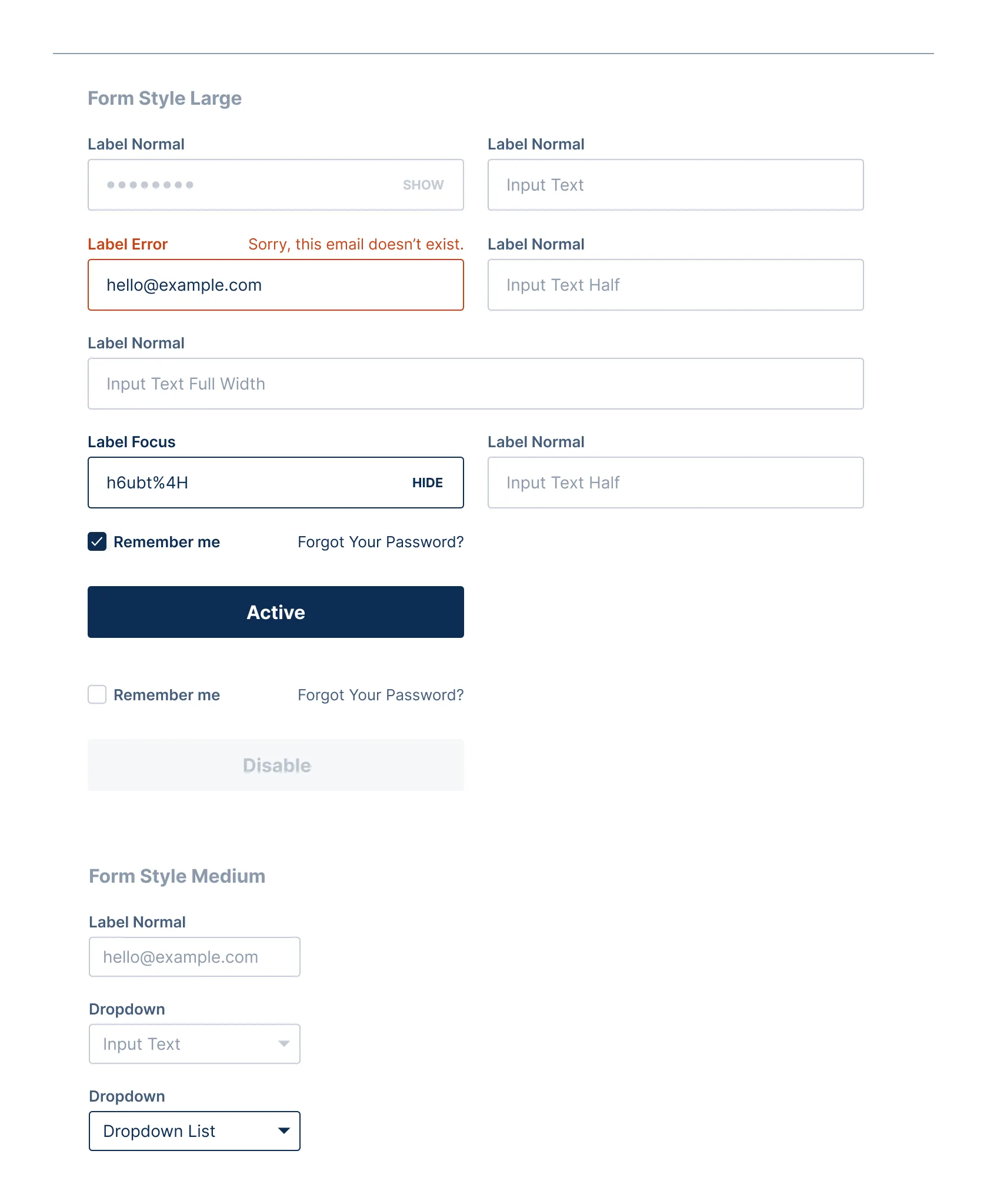
The transitional release refreshed the components and kept the layout. Navigation icons, form controls and status colours changed. Where things sat did not.
The aim was to limit what users had to relearn before changing how tasks worked.
Next stage: the tasks
With the transitional release in use, we turned to how the work was done. We mapped a routine data entry task as it ran, step by step, then drew it again with the intermediate steps taken out.
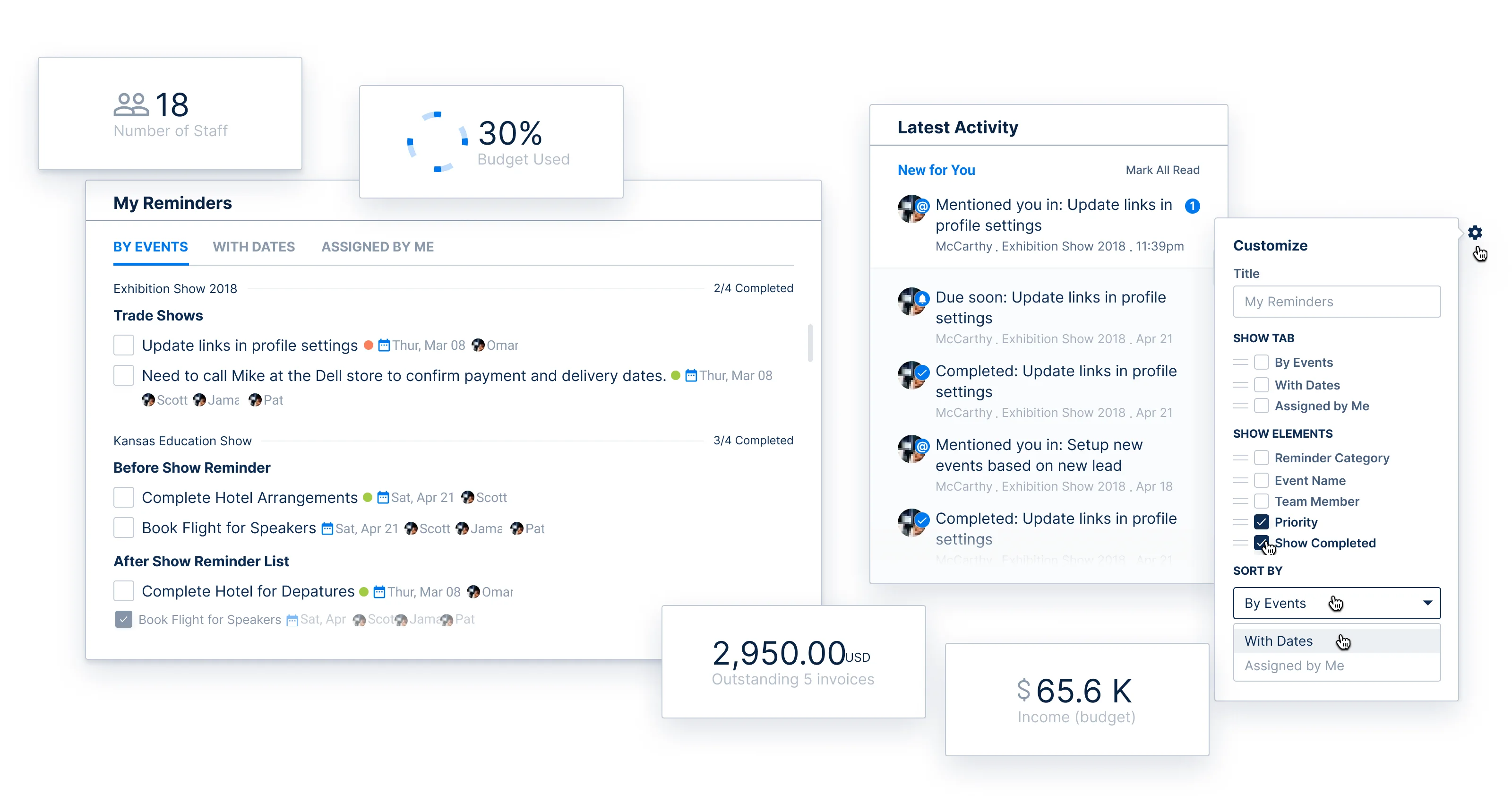
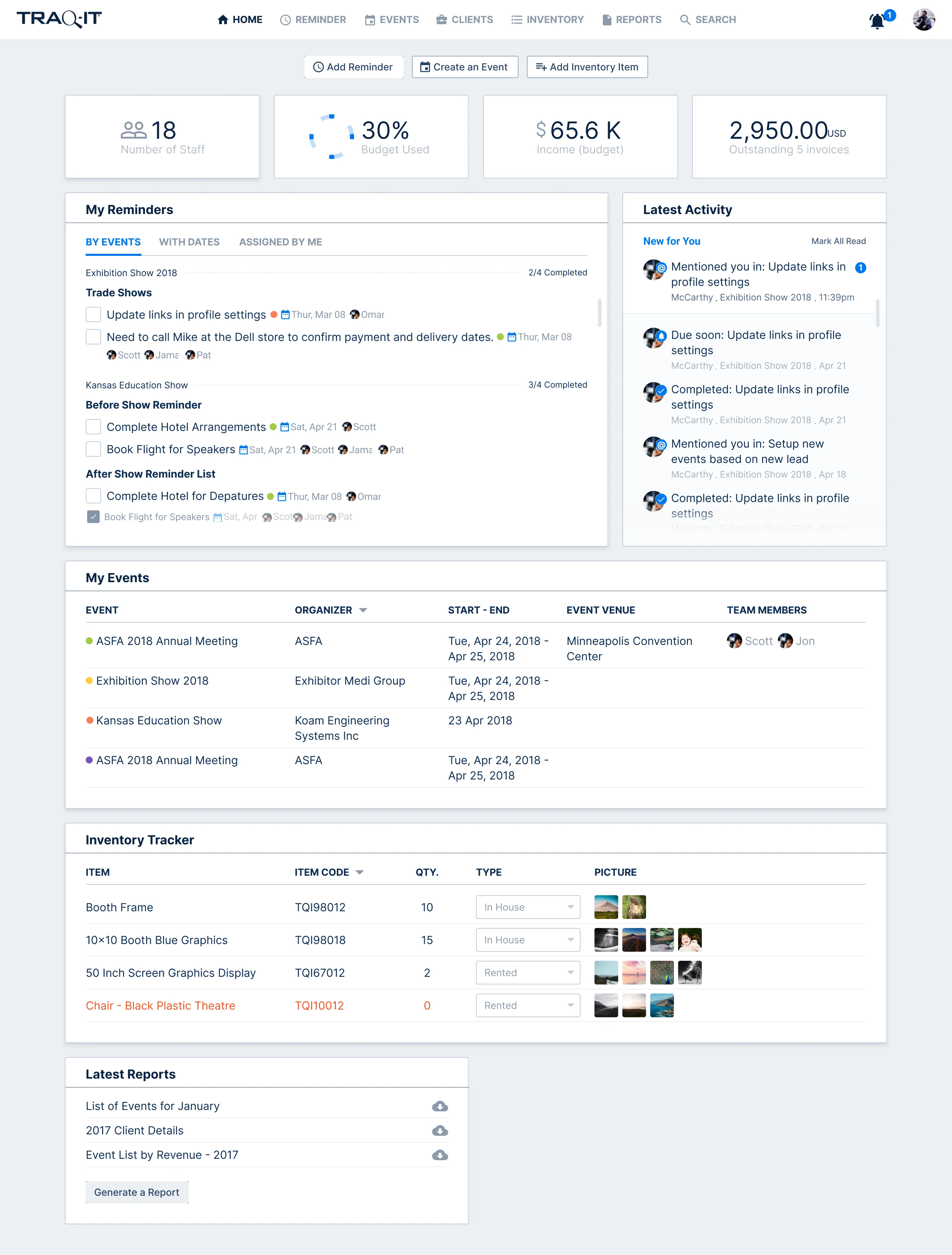
The new interface was organised around the tasks an event organiser needs to finish. A dashboard brought staff, budget, income and outstanding invoices together with reminders, activity and events, and each card could be set to show what the organiser needed.
Tested between rounds
The design went through rounds of user testing, with sessions on UserTesting.com and over Zoom. The dashboard and navigation changed between rounds, and the preserved iterations show the insight cards arriving in the later ones.
The work ran alongside the client's product and engineering people. TraqIT came to us through Highstep, which worked with TraqIT too.
A design system the engineers could build from
A design that only exists in pictures stops at the handover. We documented the components and their states: colour roles and swatch scales, a modular component library, and each card's edit state with its controls.
From July 2018 we also built the frontend of the modernised app and fixed what testing found. We rebuilt traqit.com on WordPress and kept it current until December 2020.
Five questions before a legacy redesign
- What do users do every day without thinking? That muscle memory is what a first release should protect.
- What can change without moving anything? Controls, colours and icons usually can.
- Which routine task has the most steps? Map it as it runs before redesigning it.
- How will you test between rounds? Name the sessions before the first design.
- Who builds it? A design system with states is what reaches the engineers.
The preserved designs and testing records show how the work developed. They do not establish when the task-based interface went live or how many users adopted it. Our product design page covers how we work on an existing product, and the TraqIT case study shows every stage, screen by screen.
Changing controls and changing tasks ask different things of an experienced user. Separating those decisions gave us a way to develop the interface while keeping the existing product in view.